

Let’s explore in detail all the tools and sections available, allowing you to make the most of every feature offered by the Braintech platform.


Platform introduction
Dashboard
In the Dashboard section, users can access a range of tools and detailed information to effectively monitor and manage their investments. The main features include:
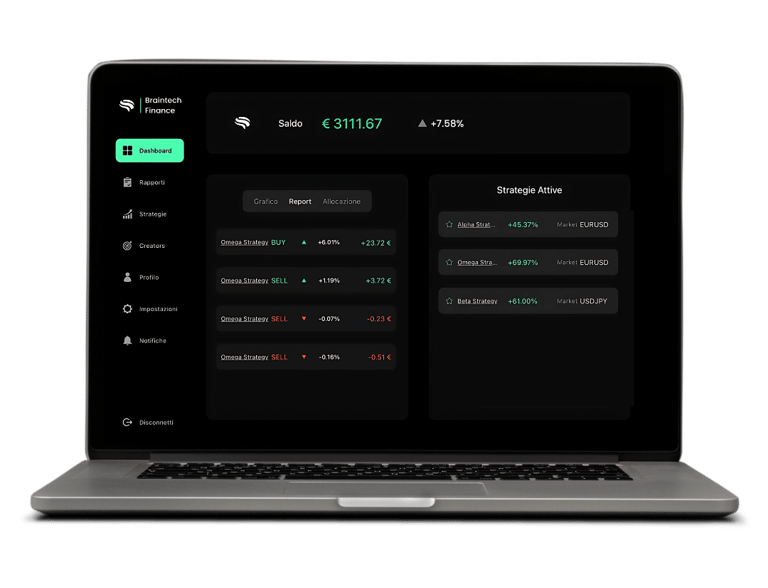
Current portfolio value (Balance): displays the real-time total value of your portfolio, reflecting the performance of your investments.
Active strategies: a complete list of all investment strategies currently running in your portfolio, with specific details for each one.
Strategy performance chart: an interactive chart showing both historical and real-time performance of your strategies, helping you analyze trends and overall effectiveness.
Capital allocation per strategy: details on how your capital is distributed across active strategies, enabling you to evaluate and optimize allocation based on your investment objectives.
Strategy trades: an overview of all positions opened by your strategies, including involved instruments, quantities, entry prices and current status.
Reports
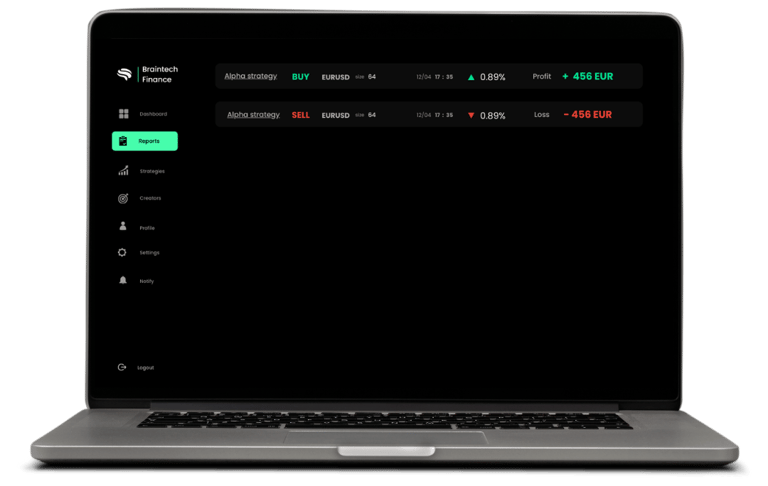
In the Reports section, you can access a detailed analysis of the positions opened by each active strategy in your portfolio. For every strategy, you’ll find specific information about each operation, including:
Financial instrument: the name or symbol of the asset involved in the trade.
Type of operation: whether the trade is a Long (buy) or Short (sell) position.
Trade size: the number of lots bought or sold.
Execution date and time: the exact moment the trade was carried out.
Position status: information on the performance of the position, including closing price and realized profit or loss.
Strategies
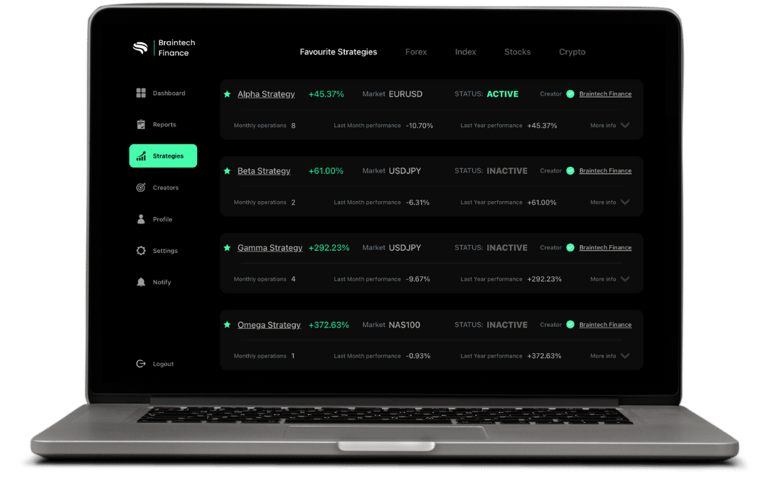
In the Strategies section, you will find a complete and detailed overview of all investment strategies available on the platform. This area is designed to provide advanced and customizable portfolio management with dedicated tools, ensuring maximum efficiency and control. Inside this section, you can:
Explore the full catalog of strategies, each with a comprehensive description covering trading approach (trend-following, contrarian, etc.), indicators, traded assets, timeframe and historical performance data.
Activate or deactivate strategies at any time with a single click, thanks to BrainSwitch, giving you full real-time operational control.
Manage risk for each strategy using the Risk Controller, which allows you to adjust exposure based on your risk tolerance and market conditions, at any moment.
Assign capital precisely to each active strategy using the Balance Allocator, enabling strategic distribution of funds, greater diversification and better adaptation to market conditions.
Monitor the individual performance of every strategy through real-time data, dedicated charts and key metrics such as cumulative return, drawdown and volatility.
Creators
In the Creators section, you will find the complete list of all creators behind the investment strategies available on the platform. This area is designed to provide transparency and trust, allowing you to get to know the professionals and experts who build the strategies you use. Specifically, you can access:
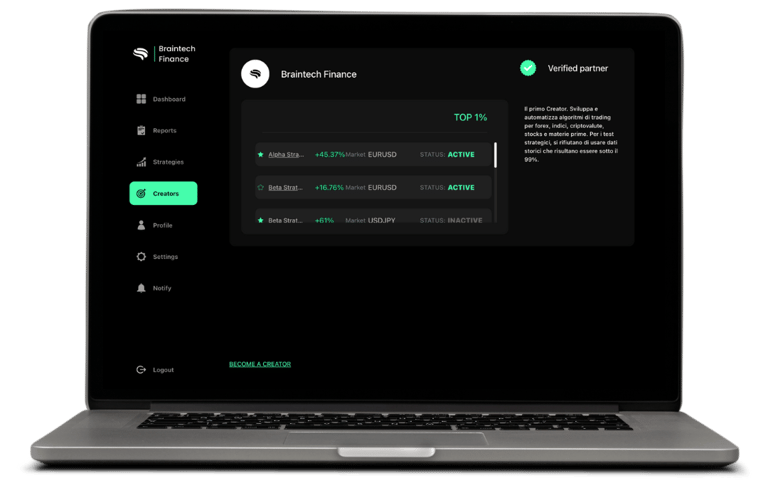
Detailed creator profiles, including name, biography, professional background, financial expertise, trading approach and investment philosophy.
List of strategies developed by each creator, with direct links to view performance, technical details and activation options.
Additional information such as specialization by asset class (stocks, forex, cryptocurrencies, commodities) and trading style (intraday, swing, long-term).
Profile
In the Profile section, you can access an area dedicated to managing your personal account, containing all the information and tools needed to personalize, configure and monitor your investment experience. Here you’ll find:
Your personal data, such as name, surname and email address, which you can update easily and securely.
Your account status, showing your active plan (free or premium), its features and your access level to platform tools.
Available plan types, with the option to compare features, limits and included benefits, and select the most suitable upgrade.
Direct download link for BrainLink, the essential software that connects the Braintech platform to your trading account. You can start the download with one click and find all required instructions.
A complete installation tutorial for BrainLink, guiding you step by step through the initial setup to ensure a smooth start.
List of recommended VPS partners, allowing you to keep your strategies running 24/7 without leaving your computer on. Only selected providers based on compatibility, performance and reliability are included.
List of compatible broker partners, with useful information about connecting to BrainLink, required account types and steps to open a new trading account.
Settings
In the Settings section, you’ll find all options related to the general configuration of your user environment, enabling you to personalize your experience, quickly access support and consult official platform documents. This section includes:
Interface language: choose the language you prefer to navigate the platform. Available languages are regularly updated to support an international user base.
Direct access to tutorials: training materials and step-by-step guides to understand the platform and its main operations.
Support and technical assistance: contact the support team directly in case of technical issues, operational questions or general requests. A dedicated ticketing channel is available.
Subscription management: if you have an active paid plan, you can view subscription details, renewal dates, change your plan, update payment information or cancel automatic renewal.
Notifications
The Notifications section is designed to keep you constantly updated on all relevant activities related to your account and platform updates. Here you will find:
System communications: important messages from the Braintech team, such as scheduled maintenance, platform updates, new features or integrations with new partners (brokers, VPS providers, tools).
Personalized messages: communications tailored to your account, including operational suggestions based on your platform usage.
© 2026 Braintech Finance. All rights reserved.
Braintech Finance is a technology platform and does not provide financial advice, investment recommendations, or brokerage services. Trading involves risk and users are solely responsible for their decisions.